/* ============================================================
   Home — marketing page sections
   Hero · 什么是AI数字员工 · 雇用优势 · Boss权益 · CTA
   ============================================================ */

function useReveal() {
  useEffect(() => {
    const els = document.querySelectorAll(".reveal:not(.in)");
    const io = new IntersectionObserver((ents) => {
      ents.forEach((e) => { if (e.isIntersecting) { e.target.classList.add("in"); io.unobserve(e.target); } });
    }, { threshold: 0.14 });
    els.forEach((el) => io.observe(el));
    return () => io.disconnect();
  });
}

function Hero({ variant, onExplore }) {
  const { HERO_CARDS } = window.DATA;
  return (
    <section className="hero" id="home">
      <div className="hero-grid-bg"></div>
      <div className="hero-stage">
        <window.HeroRing variant={variant} cards={HERO_CARDS} />

        <div className="hero-center">
          <h1 className="hero-headline display">雇用你的 AI 员工</h1>
          <p className="hero-lede"><b>1 分钟</b>用 <em>1%</em> 的成本解决企业痛点</p>
          <div className="hero-cta">
            <button className="btn btn-dark hero-action" onClick={onExplore}>
              开始雇佣你的数字员工 <span className="arrow">→</span>
            </button>
          </div>
        </div>

        <div className="ring-hint">
          <svg className="spin-ico" viewBox="0 0 24 24" fill="none" stroke="currentColor" strokeWidth="2">
            <path d="M21 12a9 9 0 1 1-3-6.7" /><path d="M21 4v5h-5" />
          </svg>
          拖动卡片 · 旋转工牌墙
        </div>
      </div>
    </section>
  );
}

function WhatIs() {
  const { WHATIS } = window.DATA;
  return (
    <section className="section alt" id="whatis">
      <div className="wrap whatis-grid">
        <div className="reveal">
          <div className="office-card">
            <div className="office-float display">?</div>
            <p className="caption">{WHATIS.caption}</p>
            <div className="scene">
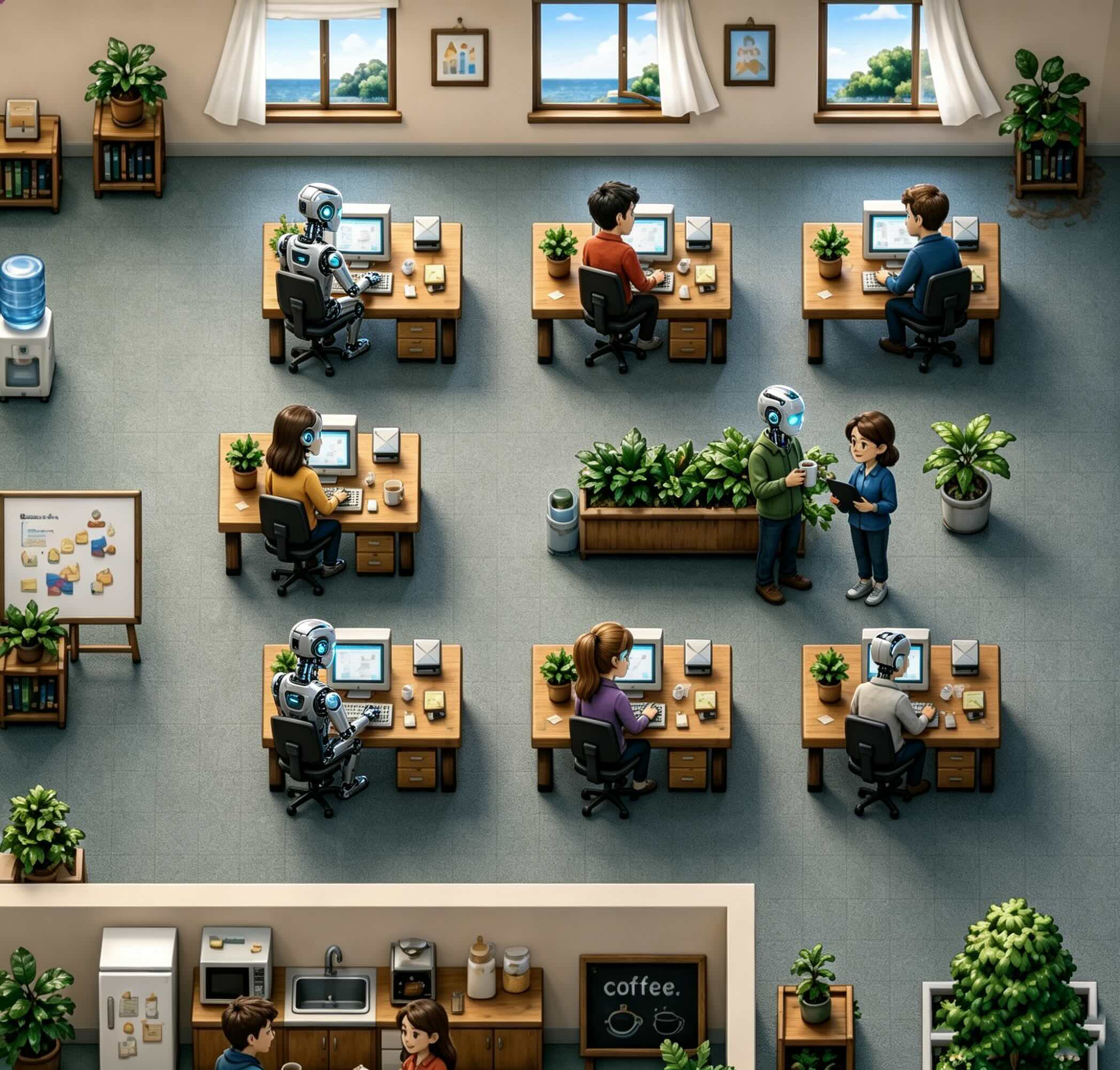
              <img src="assets/scene.jpg" alt="AI 员工协同工作示意图"
                style={{ width: "100%", height: "100%", objectFit: "cover", display: "block" }} />
            </div>
          </div>
        </div>
        <div className="whatis-copy reveal">
          <span className="badge-q">{WHATIS.q}</span>
          <h2 className="display">{WHATIS.title}</h2>
          <p className="def">
            {WHATIS.def.map((p, i) =>
              p.chip ? <span className="keychip" key={i}>{p.chip}</span> :
              p.b ? <b key={i}>{p.b}</b> :
              <span key={i}>{p.t}</span>
            )}
          </p>
          <div className="whatis-meta">
            {WHATIS.meta.map((m, i) => (
              <div className="m" key={i}>
                <div className="k display">{m.k}</div>
                <div className="v">{m.v}</div>
              </div>
            ))}
          </div>
        </div>
      </div>
    </section>
  );
}

function Advantages() {
  const { ADVANTAGES } = window.DATA;
  return (
    <section className="section" id="advantages">
      <div className="wrap">
        <div className="section-head reveal">
          <span className="eyebrow">Why hire AI</span>
          <h2 className="section-title display">雇用 AI 员工的优势</h2>
          <p className="section-sub">把人从重复、易错、永远做不完的杂事里解放出来，让组织跑得更快、更稳、更省。</p>
        </div>
        <div className="adv-grid">
          {ADVANTAGES.map((a, i) => (
            <div className="adv-card reveal" key={a.n} style={{ transitionDelay: `${(i % 3) * 70}ms` }}>
              <div className="adv-banner">
                <img src={a.img} alt={a.title} />
                <span className="adv-chip display">{a.n}</span>
              </div>
              <div className="adv-body">
                <h3>{a.title}</h3>
                <p>{a.desc}</p>
              </div>
            </div>
          ))}
        </div>
      </div>
    </section>
  );
}

function Rights() {
  const { RIGHTS } = window.DATA;
  return (
    <section className="section alt" id="rights">
      <div className="wrap">
        <div className="section-head rights-head reveal">
          <span className="eyebrow">Creator benefits</span>
          <h2 className="section-title display">成为元企数字员工 Boss 后的权益</h2>
          <p className="section-sub">像 Boss 一样管理工作流，由 Agent 驱动 —— 你负责出题，AI 负责交付。</p>
        </div>
        <div className="rights-grid">
          {RIGHTS.map((r, i) => (
            <div className="right-card reveal" key={r.title} style={{ transitionDelay: `${i * 90}ms` }}>
              <div className="right-illo">
                <span className="blob" style={{ width: 140, height: 140, background: r.blobs[0], left: 10, top: 18 }}></span>
                <span className="blob" style={{ width: 96, height: 96, background: r.blobs[1], right: 18, bottom: 6 }}></span>
                <image-slot id={`right-${i}`} shape="rounded" radius="18"
                  placeholder="权益插画" style={{ width: 150, height: 150 }}></image-slot>
              </div>
              <h3>{r.title}</h3>
              <p>{r.desc}</p>
            </div>
          ))}
        </div>
      </div>
    </section>
  );
}

function CtaBand({ onExplore }) {
  return (
    <section className="section cta-band">
      <div className="wrap">
        <div className="cta-inner reveal">
          <span className="glow g1"></span><span className="glow g2"></span>
          <h2 className="display">一键雇用你需要的 <em>AI 员工</em></h2>
          <p>超级 HR、超级销售、财务、法务、新媒体运营、品牌宣传、运营、助理、客服 —— 总有一位为你而来。</p>
          <div className="hero-cta">
            <button className="btn btn-primary" onClick={onExplore}>浏览 AI 员工 <span className="arrow">→</span></button>
            <button className="btn btn-ghost" style={{ background: "transparent", color: "#fff", borderColor: "rgba(255,255,255,.3)" }} onClick={() => window.openQR && window.openQR()}>预约 AI 员工</button>
          </div>
        </div>
      </div>
    </section>
  );
}

function Footer({ go }) {
  return (
    <footer className="foot">
      <div className="wrap">
        <div>
          <div className="brand" style={{ marginBottom: 16 }}>
            <span className="brand-mark"><BrandGlyph /></span>
            <span className="brand-name display">元企智工</span>
          </div>
          <p style={{ maxWidth: 280, fontSize: 14, lineHeight: 1.7 }}>
            1 分钟用 1% 的成本解决企业痛点。
          </p>
        </div>
        <div className="foot-cols">
          <div className="foot-col">
            <h4>产品</h4>
            <a onClick={() => go("staff")}>AI 员工市场</a>
            <a href="#whatis">什么是数字员工</a>
            <a href="#advantages">雇用优势</a>
          </div>
          <div className="foot-col">
            <h4>关于</h4>
            <a onClick={() => go("about")}>关于我们</a>
            <a onClick={() => window.goLogin && window.goLogin()}>登录</a>
            <a>联系我们</a>
          </div>
        </div>
      </div>
      <div className="wrap"><div className="foot-bottom">© 2026 元企智工 YuanQi ZhiGong · 让每家企业都拥有自己的 AI 员工</div></div>
    </footer>
  );
}

function BrandGlyph() {
  return <img src="assets/logo.png" alt="元企智工" style={{ width: "100%", height: "100%", objectFit: "contain", display: "block" }} />;
}

function Home({ variant, go, hired, onHire, goStaff }) {
  useReveal();
  return (
    <div className="home">
      <Hero variant={variant} onExplore={() => go("staff")} />
      <WhatIs />
      <window.HomeMarket go={go} hired={hired} onHire={onHire} goStaff={goStaff} />
      <Advantages />
      <CtaBand onExplore={() => go("staff")} />
    </div>
  );
}

Object.assign(window, { Home, Footer, BrandGlyph });
